

Latest Version
almar klein
IT Tools
Linux
Free
org.pyzo.pyzo
Report a Problem
More About Pyzo
While many modern development environments overwhelm users with bloated interfaces and endless configuration files, the Pyzo Python IDE takes a refreshingly different approach. Built from the ground up to prioritize interactivity and deep introspection, this lightweight environment provides an exceptionally clean workspace designed to keep programmers focused on their code rather than their tooling. It stands out as an incredibly practical choice for researchers, data analysts, and educators who need a direct, uncomplicated connection to their running code.
The Core Philosophy of the Pyzo Python IDE
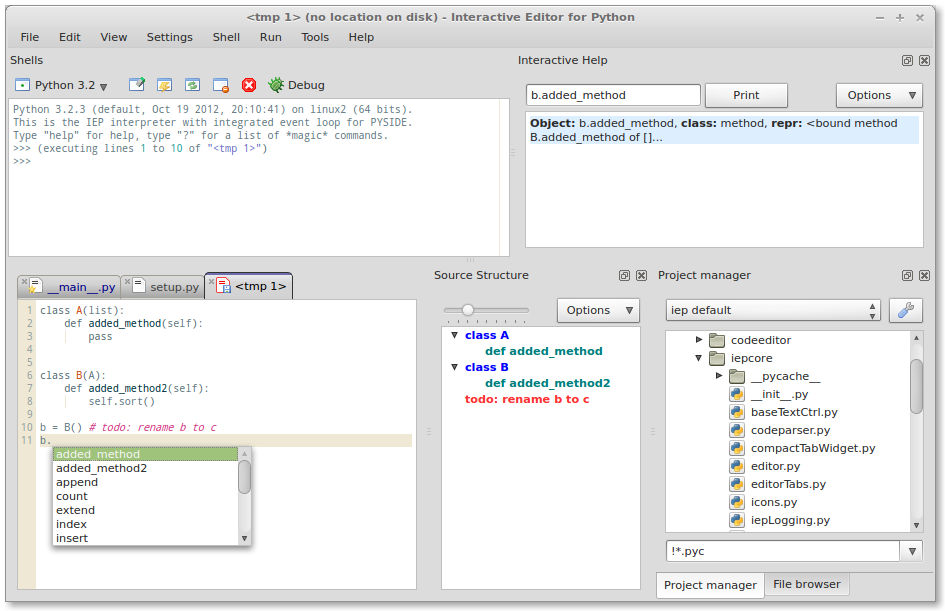
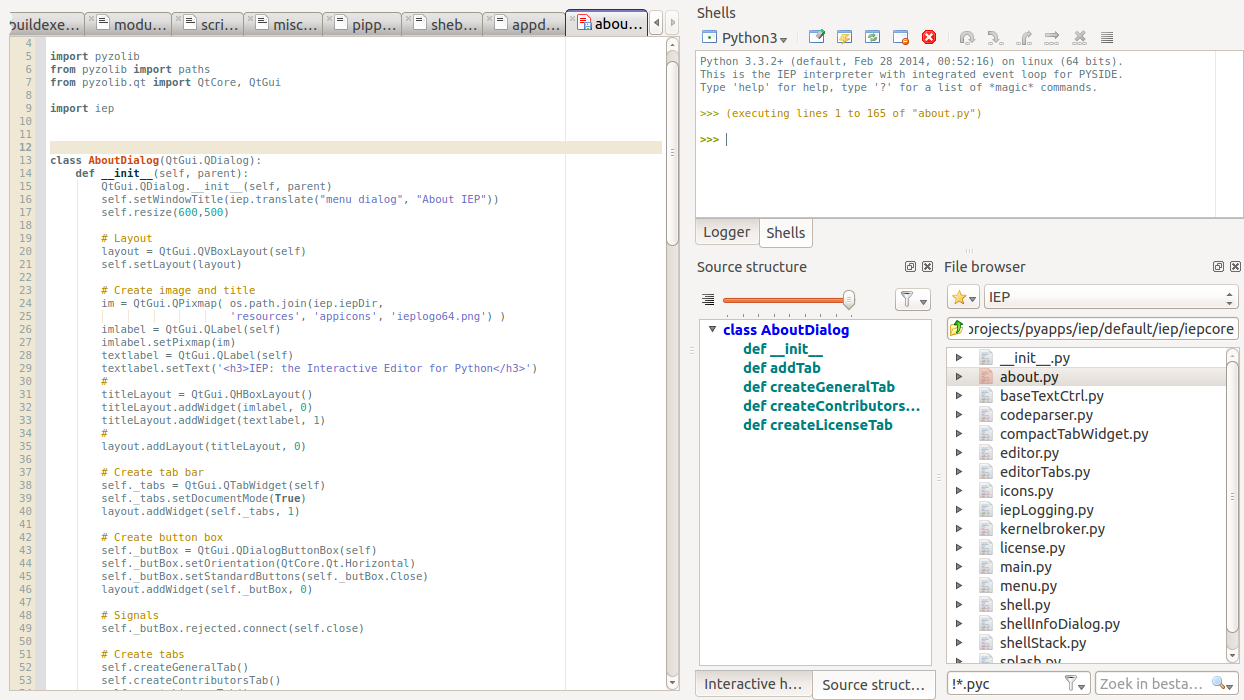
At its heart, the Pyzo Python IDE is engineered around the relationship between two main components: a highly responsive code editor and an interactive shell. Rather than forcing you into a rigid compile-and-run cycle, it encourages an exploratory workflow where you can execute snippets, inspect variables, and manipulate data structures in real time. This makes it particularly powerful for scientific computing, where immediate visual and numerical feedback is essential.
Key Features for Streamlined Development
Despite its minimalist appearance, this IDE includes a robust set of pluggable tools designed to assist developers without cluttering their workspace. Some of the most notable built-in tools include:
- Source Structure Analyzer: Easily navigate complex files with a visual outline of classes, functions, and imports.
- Integrated Project Manager: Organize your scripts, modules, and data assets within a simple directory tree.
- Interactive Help System: Quickly pull up documentation and signatures for functions as you type.
- Workspace Inspector: Monitor active variables, arrays, and objects currently loaded into the shell memory.
Engineered for Versatility and Compatibility
Created by developer Almar Klein using pure Python 3 and the robust Qt GUI toolkit, the Pyzo Python IDE offers native-feeling performance on the Linux platform. One of its greatest strengths is its interpreter flexibility. Once installed on your system, you can configure it to target virtually any Python version you have available—ranging from legacy Python 2.4 all the way through the latest Python 3.x releases, including alternative implementations like PyPy.
Is Pyzo Right for Your Workflow?
If you are looking for a heavyweight, enterprise-grade IDE with complex cloud integrations, Pyzo might feel too minimal. However, if your goal is to write clean scientific code, run interactive data simulations, or teach programming without the distraction of a complex UI, this tool is incredibly hard to beat. It strips away the noise, leaving you with a fast, reliable, and highly introspective environment.
To experience this streamlined development environment firsthand, head over to the official Flathub store page to get started with the Pyzo Python IDE today.
Rate the App
User Reviews

Popular Apps










Editor's Choice