

Latest Version
Platinum Sky Group Limited
Mac
Free
6774558285
Report a Problem
More About Orvia Mail: Email Client
A Calm Approach to macOS Inbox Management
Modern digital workspaces are often overwhelmed by constant notifications, cluttered promotional tabs, and intrusive tracking. Orvia Mail: Email Client addresses this daily frustration by offering a quiet, local-first workspace designed specifically for macOS users. Built by Platinum Sky Group Limited, this application aims to return control of personal data to the user while stripping away the noise that typically plagues modern inboxes.
Streamlined Organization with Dedicated Views
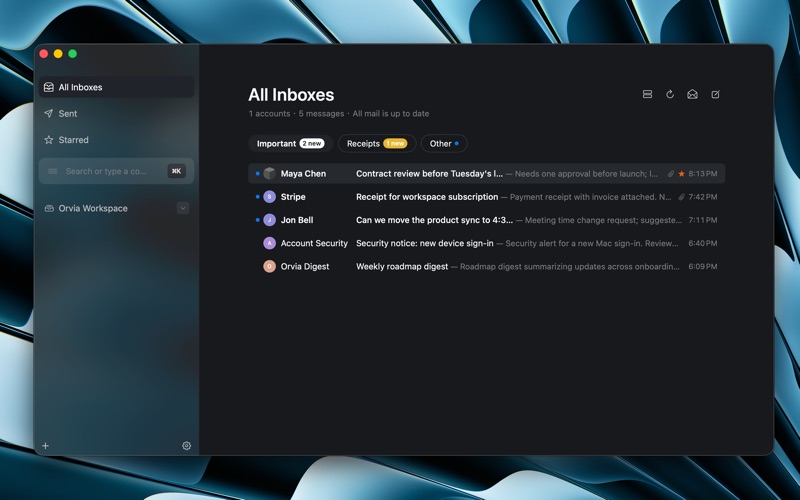
Instead of forcing users to sort through a single, chaotic stream of messages, Orvia Mail: Email Client introduces specialized views to segment incoming correspondence naturally:
- Focus View: Designed to highlight your most important conversations, allowing you to read and reply without distraction.
- Receipts View: Automatically groups transactional emails and purchase confirmations for quick reference.
- Feed View: Consolidates newsletters and updates into an easily scannable digest, keeping your main inbox clean.
Local-First Architecture and Data Privacy
For professionals concerned with information security, Orvia Mail: Email Client prioritizes local processing. Email storage, indexing, search queries, drafts, and user preferences remain on your Mac. The application supports App Sandbox and utilizes secure Keychain-based credential storage to keep your login details safe. This transparent privacy model ensures you retain complete ownership of your communication data.
Flexible and Privacy-Conscious AI Tools
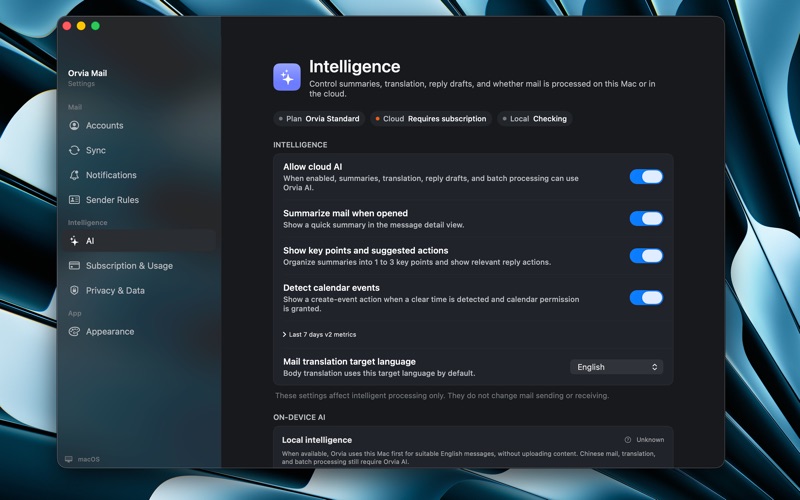
Artificial intelligence features within the client are entirely optional. When cloud-based AI is enabled, Orvia Mail filters and anonymizes sensitive data before processing summaries or translations. If you choose to disable cloud AI, the app can leverage Apple Foundation Models for on-device processing on supported hardware. This local execution ensures that your email content never leaves your machine, though compatibility may vary depending on your macOS system configuration.
Efficient Scheduling and Utilities
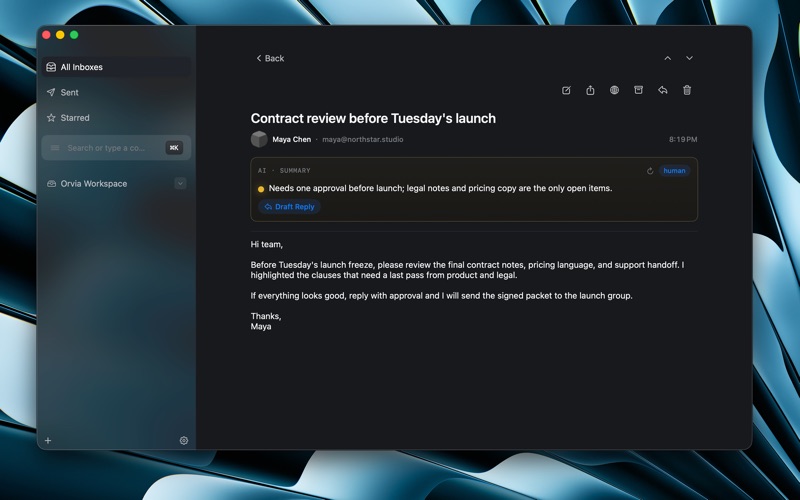
The client is built to streamline administrative tasks. It can parse emails containing time-sensitive information, allowing you to generate calendar events with a single click. Combined with native translation tools and long-form email summaries, it helps you digest complex threads and coordinate your schedule without leaving the application.
Is Orvia Mail Right for You?
If you are looking for an email application that minimizes distractions, respects your data privacy, and integrates seamlessly with macOS, this client is a compelling choice. It avoids unnecessary feature bloat in favor of a calmer, more deliberate workflow. To explore its features firsthand, head over to the official Mac App Store to download and set up your new workspace.
Rate the App
User Reviews
Other Apps in This Category



Popular Apps










Editor's Choice